
What is a vanity URL? It’s a short, branded web address that redirects to a longer destination. The vanity URL meaning is straightforward: it’s a custom domain, subdomain, or profile slug (like linkedin.com/in/yourname) designed to be memorable, trustworthy, and easy to share—online and offline—while preserving analytics via redirects.
Vanity URL Meaning—in Plain Language
Common forms include:
- Short, branded domains + slugs: acme.to/sale or go.brand.co/guide
- Branded subdomains provided by platforms: yourbrand.zoom.us or yourteam.slack.com
- Profile slugs and handles: linkedin.com/in/yourname, github.com/username, youtube.com/@yourbrand
If you’ve searched “what is vanity url” or “vanity url meaning,” that’s it: a link people recognize and recall.
How Vanity URLs Work (Redirects, Subdomains, Slugs)
Redirects and URL shorteners
- What happens: A short URL (often using a custom domain) issues a redirect—commonly a 301 (permanent) or 302/307 (temporary)—to the destination.
- Tools: Bitly, Rebrandly, T2M, TinyURL, and enterprise link platforms. These tools often add click analytics (count, location, referrer, device), link expiration, and UTM support.
- Use cases: Campaign links in social bios, ads, emails, podcasts, conference slides, and print materials.
Branded subdomains on third‑party platforms
- Examples: yourbrand.zoom.us (Zoom), yourteam.slack.com (Slack), yourworkspace.notion.site (Notion), yourstore.myshopify.com (Shopify, though many map custom root domains too).
- What happens: Platforms allocate a readable subdomain that points to your account or content. You don’t manage the redirect; the platform routes users internally.
Profile slugs and handles
- Examples: linkedin.com/in/yourname (LinkedIn), github.com/yourhandle (GitHub), youtube.com/@yourbrand (YouTube), calendly.com/yourname (Calendly).
- What happens: You choose a human-friendly identifier. The platform ensures the slug resolves to your profile or channel.
Vanity URL vs. Regular URL: Quick Comparison
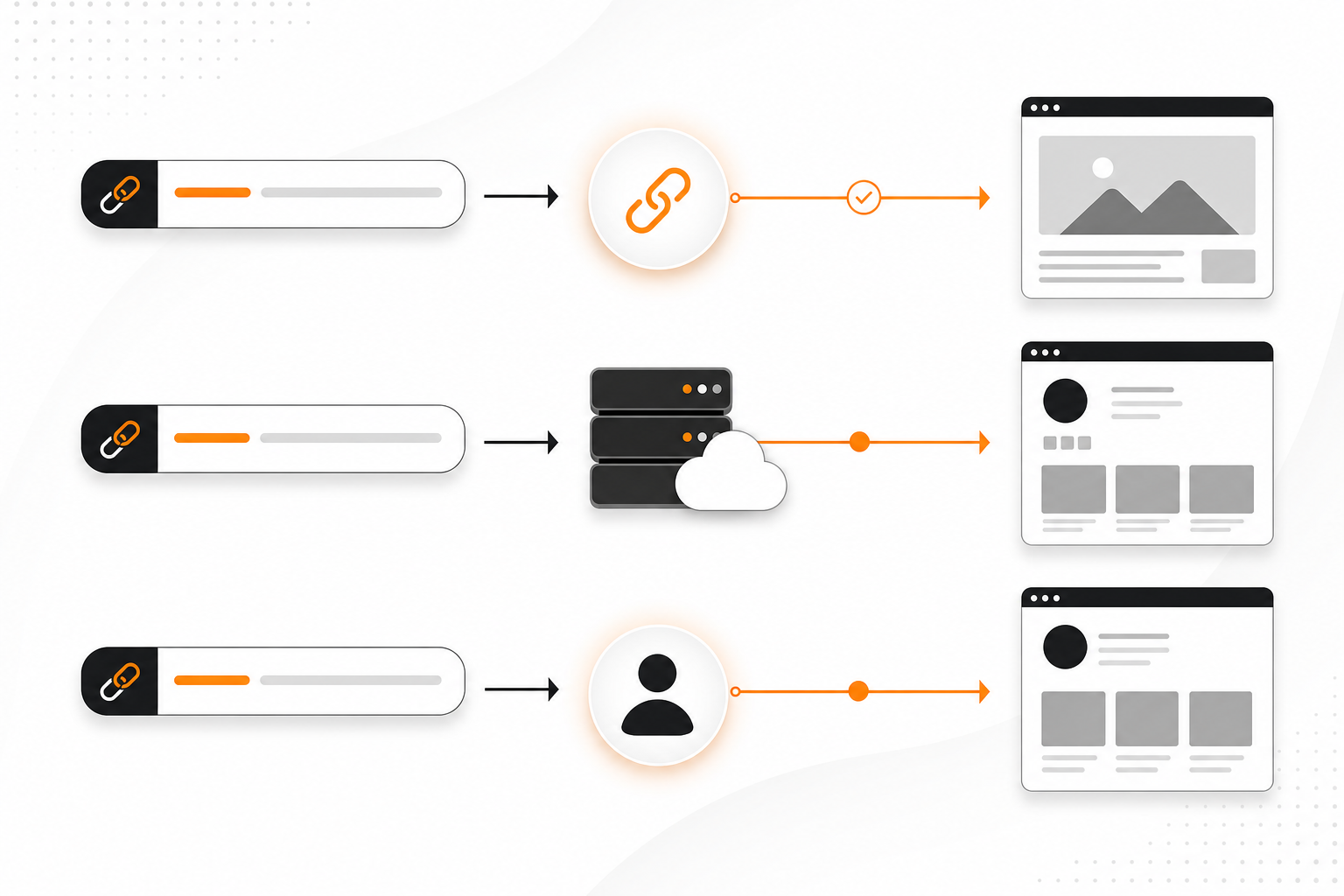
- Memorability: Vanity URLs are short, pronounceable, and brand‑forward; regular URLs can include IDs, parameters, and folders that are hard to remember.
- Trust: Clear branding signals legitimacy; long, opaque links can look spammy.
- Shareability: Vanity URLs work well in print, podcasts, video lower-thirds, and verbal mentions; regular URLs often break or wrap.
- Control: Vanity URLs let you change the destination later without changing the link; regular URLs are fixed and tied to the page structure.
- Tracking: Vanity links often include built-in analytics and can pass UTM parameters; regular URLs may require analytics setup per placement.
Benefits You Can Measure
Memorability and recall
- Short, pronounceable words and brand signals make a URL stick. This matters for events, radio/podcasts, and time-limited screens where viewers can’t click.
Trust and click confidence
- A recognizable domain or subdomain helps audiences judge legitimacy at a glance, reducing hesitation. That can improve click-through where users scrutinize links (social posts, SMS, QR landings).
Offline and print usability
- Vanity URLs are easy to type from flyers, billboards, business cards, and slide decks. Fewer characters mean fewer typing errors.
Potentially higher CTRs
- Clean, branded links typically display better in social previews and paid placements, which can improve click propensity. While results vary by audience and creative, marketers often observe uplift when replacing opaque parameters with readable slugs.
Brand consistency
- Uniform patterns like brand.to/help or brand.to/demo reinforce your naming system across channels and teams.
Practical Process: How to Set Up a Vanity URL
Follow this step-by-step process. It covers short links, platform subdomains, and profile slugs.
1) Decide your pattern and purpose
- Purpose: campaign tracking, offline materials, bios, recruiting, or support.
- Pattern: choose a short, on-brand domain (e.g., brand.to) or a subdirectory convention if your main domain is already short (brand.com/go/offer).
- Voice: use simple, action-oriented slugs: /join, /apply, /demo, /menu.
2) Register a short domain (optional but recommended)
- Look for TLDs that fit your brand: .to, .io, .co, .link, country codes, or meaningful words (e.g., brnd.to). Keep it short and pronounceable.
3) Connect the domain to a link platform
- In Bitly, Rebrandly, or similar, add your domain and follow DNS instructions (often a CNAME record). This lets you create brand.to/slug instead of bit.ly/abc123.
4) Create the redirect
- Choose the destination URL. Add UTM parameters for campaign tracking if needed.
- Select redirect type: 301 for lasting destinations (evergreen pages); 302/307 for time-bound campaigns or tests.
- Add the human-friendly slug.
5) Test before launch
- Confirm the link resolves quickly, works on mobile and desktop, and renders expected OG/Twitter cards if shared.
- Check that analytics record a test click.
6) Roll out to channels
- Place the vanity URL in bios, ads, emails, print, video captions, podcasts, and QR codes.
- For print and events, keep slugs 12–20 characters max when possible.
7) Maintain and measure
- Use your platform’s analytics plus Google Analytics to track clicks, sessions, and conversions.
- Rotate slugs only when necessary; avoid breaking links that already circulate.
Measurable checks (make it count)
- Baseline: document CTR or visits with a control link for one week.
- Swap: replace with a vanity URL, keep creative identical.
- Compare: evaluate CTR, unique clicks, session duration, and conversion rate over the same exposure.
- Offline: add distinct vanity slugs or UTMs per flyer or location to pinpoint performance.
Real-World Examples (Cross-Platform)
- Short domains
- go.brand.co/demo → redirects to brand.co/products/demo?utm_source=event
- brand.to/jobs → redirects to brand.co/careers
- Platform subdomains
- yourbrand.zoom.us → your Zoom account landing or meeting links
- yourteam.slack.com → your Slack workspace
- Profile slugs and handles
- linkedin.com/in/janesmith → public LinkedIn profile
- github.com/yourhandle → GitHub profile
- youtube.com/@yourbrand → YouTube channel handle URL
- Service links
- calendly.com/yourname → scheduling page
- notion.so/yourworkspace → workspace home (or yourworkspace.notion.site)
These examples show how vanity formats exist across ecosystems: some you control (short domains) and some platforms grant (subdomains/slugs).
Governance, SEO, and Tracking Best Practices

Redirect hygiene
- Prefer one hop: vanity → destination. Avoid redirect chains.
- Use 301 for stable pages to pass link equity; 302/307 for temporary campaigns.
- Update or retire old slugs; do not recycle popular slugs for unrelated content.
SEO considerations
- Vanity URLs themselves don’t guarantee rankings. They’re primarily for UX and distribution.
- If others link to your vanity URL, a 301 can consolidate signals at the destination. Use canonical tags on the destination page as standard practice.
Tracking and attribution
- Append UTM parameters on the destination URL to attribute traffic by channel and creative.
- Use separate slugs per placement (e.g., /demo-ad1, /demo-flyer-a) to isolate performance.
- Combine with QR codes that encode the same vanity link for scannability.
Security and trust
- Enforce HTTPS everywhere.
- Lock your link platform with SSO and role-based permissions to prevent accidental edits.
Limitations and Risks to Consider
- Name availability: Short, clean slugs and domains may already be taken.
- Platform constraints: Some services restrict characters, length, or frequency of slug changes.
- Link rot: If a link platform, domain, or destination changes, older vanity URLs can break. Maintain renewals and redirects.
- Deliverability filters: Some email or SMS filters scrutinize short links. A branded domain typically fares better than a generic shortener domain.
- Privacy and compliance: Respect consent and disclosure requirements when using UTMs and link analytics.
Evidence-Led Callout: What Platforms Support Today
- LinkedIn Help documentation explains how users can customize public profile URLs (e.g., linkedin.com/in/yourname). This is a built-in, slug-based vanity feature.
- Zoom Support describes vanity subdomains (yourbrand.zoom.us) for account branding and consistent meeting links.
- Leading link platforms (e.g., Bitly, Rebrandly) provide branded domains, click analytics, and redirect management—observable in their product features and dashboards.
Playbook: Naming Patterns That Work
- Actions: /join, /apply, /book, /demo, /try, /shop, /menu, /vote
- Content: /guide, /report, /webinar, /case, /careers, /press
- Events: /live, /tour, /nyc, /booth, /recap
- Support: /help, /status, /faq, /contact
Pair these with your short domain or a /go/ subdirectory and you’ll have a clean, coherent system across all campaigns.
Who Should Use Vanity URLs—and When

- Marketers: Campaign tracking, ad clarity, and cross-channel consistency.
- Small businesses: Easy-to-remember web and print links (menus, offers, bookings).
- Job seekers and creators: Professional profile links that fit resumes, portfolios, and bios.
- Events and sales teams: Verbal and on-stage sharing that audiences can type from memory.
Success Checklist
- Your domain is short and pronounceable.
- Slugs are 3–20 characters, readable, and action-oriented.
- Redirect type matches use case (301 for stable, 302/307 for temporary).
- UTMs are consistent across placements.
- Each major placement has its own slug.
- You’ve tested on mobile/desktop and verified analytics.
- You’ve documented governance: who can create, edit, and retire links.
Use this checklist before every launch to keep vanity URLs reliable, measurable, and on-brand.
Do vanity URLs help SEO rankings directly?
Not directly. Vanity URLs improve user trust and clickability, but rankings depend on content quality, relevance, and links. If others link to your vanity URL, a 301 redirect can consolidate signals at the destination.
Are vanity URLs case sensitive?
Domains are not case sensitive, but the path (the part after the slash) can be, depending on the platform or server. To avoid confusion, standardize on lowercase slugs.
Should I use a 301 or 302 redirect for a vanity URL?
Use 301 for stable, long-term destinations so signals pass to the target. Use 302 or 307 for time-limited campaigns or tests where the destination may change.
How do I get a vanity URL on LinkedIn or Zoom?
LinkedIn lets you customize your public profile URL via profile settings. Zoom offers account vanity subdomains (e.g., yourbrand.zoom.us) based on plan and verification. Check each platform’s help center for current steps.