
Be first on Google with local service ads: Google’s pay‑per‑lead units that sit above standard ads and organic results. This guide shows you who’s eligible, how to pass verification, how to set up and pace budget, what drives ranking, and a practical first‑30‑days plan to turn calls and messages into booked jobs.
What Local Service Ads are and where they show
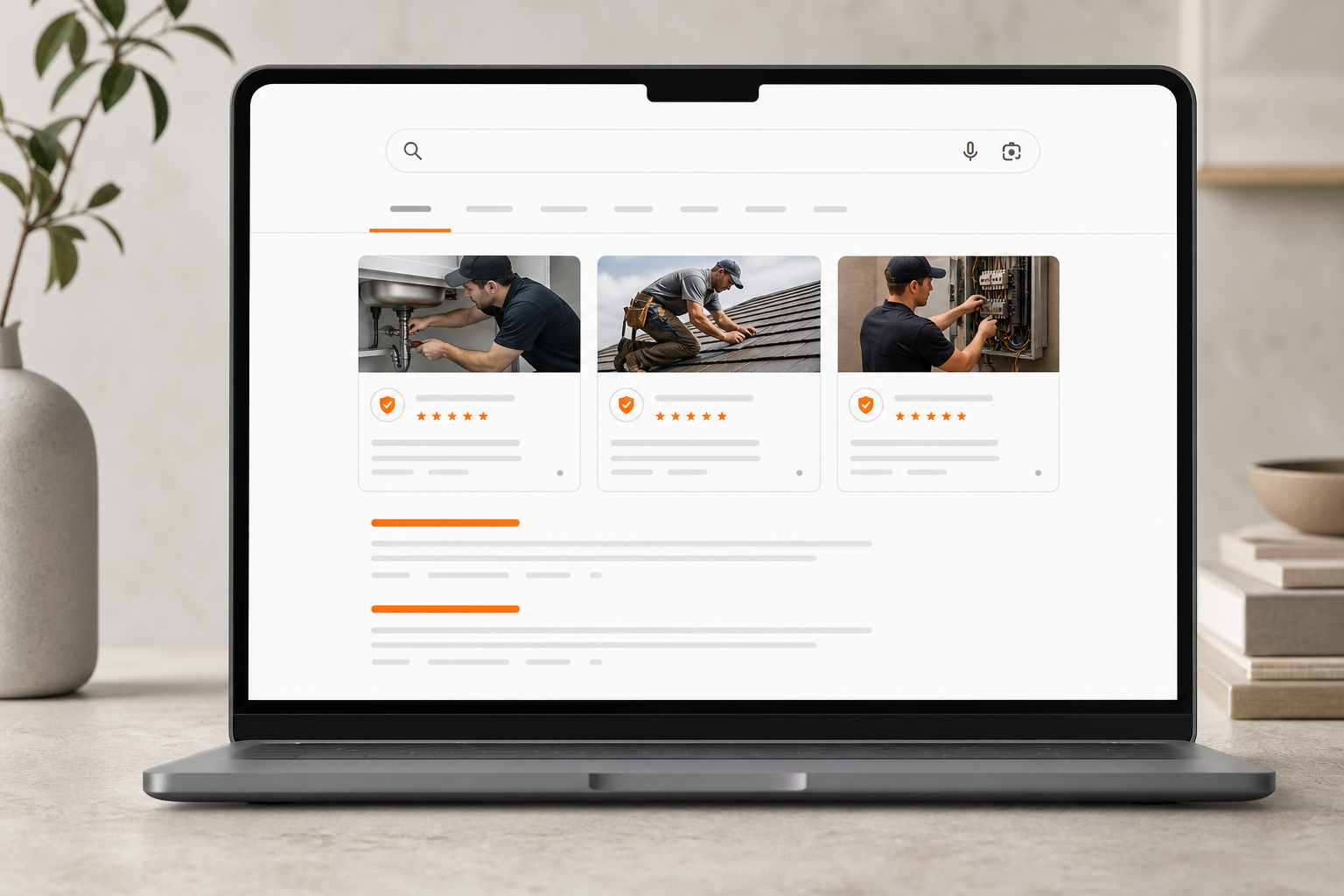
- Placement: Top of the SERP, often in a 3‑pack carousel on desktop and a list on mobile.
- Badges: Google Guaranteed (home services and similar) or Google Screened (professional services like legal).
- Pricing: Pay per valid lead; you can dispute clearly invalid leads in‑app.
- Coverage: Not available in every region or vertical; eligibility varies by market.
Google Guaranteed vs. Google Screened
- Google Guaranteed: Typically for home services. The badge signals Google has verified your business meets certain checks (licenses, insurance, and background checks where required). In eligible markets, Google may offer a money‑back guarantee to consumers on booked jobs performed via the ad, subject to caps and terms.
- Google Screened: For professional services (e.g., legal, real estate, financial planning). Focuses on license and background verification without the same job reimbursement component.
How LSAs differ from Google Ads and Maps
- Bidding: LSAs use a per‑lead price and limited bidding controls; Google Ads (search) uses CPC and keywords.
- Targeting: LSAs revolve around service categories and locations (no keyword lists).
- Optimization: LSAs rank by proximity, reviews, responsiveness, and profile quality; Google Ads relies on keyword quality score and auction dynamics.
- Attribution: LSAs track calls/messages in the LSA dashboard; Google Ads requires conversion tracking setup. For complementary Google Ads search campaigns, see [Google Ads Launch Checklist](https://orangeandblackdigitals.com/blog/google-ads-launch-checklist/).
Eligibility and verification: what Google checks
- Business information: Legal name, ownership, EIN/tax ID (where applicable), and contact details.
- Licenses and insurance: Active, valid documents matching the business name and service category.
- Background checks: Business owners and, in some verticals, field staff. Google uses approved third‑party partners that vary by region.
- Reviews: A minimum number of Google reviews may be required to display.
What delays approval:
- Name mismatches across licenses, insurance, and your Google Business Profile.
- Expired documents or incomplete uploads (missing pages or signatures).
- Unverified staff lists when worker checks are required.
- Inconsistent service areas or categories vs. your documentation.
Evidence‑led callout: Google’s public documentation and in‑product requirements emphasize identity, licensing, insurance, and background checks as prerequisites before showing the “Guaranteed” or “Screened” badges. Expect verification to take days to weeks depending on responsiveness and background‑check queues.
Account setup essentials that impact ranking and cost
A clean, complete profile not only passes checks—it also improves ranking and lead quality.
Categories and job types
- Choose the primary category that best reflects your core service (e.g., Plumber, Personal Injury Lawyer, Electrician).
- Select job types you actually perform. Over‑selecting leads to mismatched inquiries and lower close rates.
Service areas
- Prefer radius or zip codes where you truly serve quickly. Overly broad service areas hurt response times and lower relevance.
- Exclude geographies you cannot reach within your standard ETA.
Business hours and lead settings
- Set accurate hours. If you offer 24/7 emergency support, enable it. If not, do not mark it.
- Opt into phone, message, or booking requests based on your ability to respond rapidly.
Profile completeness and social proof
- Add real photos: trucks, staff, licensing/credentials, and before/after work.
- Accumulate recent Google reviews and respond to them. Reviews, recency, and rating averages are meaningful ranking signals in LSAs.
- Keep your Google Business Profile aligned with your LSA details (name, address, phone, hours).
A no‑fluff launch plan to go live fast
1) Confirm eligibility and documents
- Gather: Government ID (owner), business license, trade licenses, general liability insurance certificate, W‑9/Tax details (as applicable).
- Prepare staff rosters if worker background checks apply to your vertical.
2) Create the LSA profile
- Enter categories, job types, service areas, and hours precisely.
- Upload documentation; ensure names match exactly.
3) Connect your Google Business Profile
- Align NAP (name, address, phone) and hours. Remove legacy call tracking numbers from GBP; use LSA’s tracking instead.
4) Request verification and complete background checks
- Promptly respond to any partner emails for background checks. Encourage staff to complete forms within 24 hours.
5) Set your lead goal and budget pacing
- Use Google’s estimated per‑lead price in your market to back‑into a weekly lead goal.
- Start with a conservative weekly budget you are comfortable fully spending, then scale after you confirm close rate and job value. For more on pacing philosophy, see [Google Ads Budgeting For Beginners](https://orangeandblackdigitals.com/blog/google-ads-budgeting-for-beginners/).
6) Turn on call/message handling
- Route LSA calls to a live answer line whenever possible. Use call announcements to recognize LSA leads.
- Prepare scripts to qualify, schedule, and capture “mark as booked” outcomes in the LSA dashboard.
7) Monitor daily for the first week
- Check lead quality, disputes, and missed calls. Tweak job types and service areas if you see mismatches.
Ranking and cost mechanics you can actually influence

- Proximity and service area fit: You’ll rank better near searchers within your set area.
- Reviews and rating: Volume, average score, and recency all help. Ask satisfied customers to leave reviews on Google after each job.
- Responsiveness: Answer quickly, return missed calls, and reply to messages fast. Extended delays can reduce impression share.
- Budget availability: If your daily/weekly budget is exhausted early, your ads pause. Pace to stay visible during peak hours.
- Profile completeness: Real photos, accurate hours, and detailed job types improve user trust and matching.
- Dispute and lead quality history: Excessive disputes or a high rate of unqualified leads may reduce visibility over time.
Bidding controls: Many accounts allow you to set a typical lead price or a max per‑lead bid. Use max bids cautiously; outbidding without improving reviews and responsiveness can lead to expensive leads without better close rates. For general auction thinking, read Google Ads Budget And Bidding For Beginners.
Local service ads examples you can model
- Plumber near me: Three LSA tiles with “Google Guaranteed,” star ratings (e.g., 4.8), number of reviews, “Open now,” phone icon, and service area mention.
- Electrician emergency: LSA listings highlight 24/7 availability and emergency job types if enabled in profile.
- HVAC tune‑up: Seasonal messaging appears via job types (maintenance vs. install). Photos of technicians and trucks boost trust.
- Personal injury lawyer: “Google Screened” badge with firm name, rating, years in practice (where provided), and practice areas.
- House cleaning: LSA list with availability windows and service area focus; recurring vs. one‑time jobs controlled by job type selection.
Pattern to copy: Tight service areas, recent reviews with real job details, real photos, and clear hours that match what you actually deliver.
First 30 days: optimization plan that compounds ROI

Daily (10–15 minutes):
- Return every missed call and message. Aim for under 15 minutes during business hours.
- Mark outcomes in the dashboard: Booked, Completed, or Not Hired. This improves Google’s understanding of fit.
- Request a Google review after each booked job via text/email follow‑up.
Weekly:
- Audit job types: Remove types generating poor‑fit inquiries; add those you regularly accept but missed.
- Refine service area: Tighten zip codes where you close best; pause far‑edge areas with long drive times.
- Budget pacing: If you’re capping out midday, redistribute budget toward peak hours or increase weekly budget modestly.
- Dispute invalid leads: Wrong service, spam, or out‑of‑area calls should be disputed promptly in the LSA dashboard.
Lead handling script (minimalist):
- Acknowledge source: “I see you reached us on Google.”
- Qualify fast: “What service, location, and timing do you need?”
- Authority and next step: “We’re licensed/insured for that. I can schedule [time]. Can I confirm your address and send a calendar invite?”
- Close the loop: After booking, immediately mark the lead as Booked inside LSAs.
Complementary tracking tip: If you also run search ads, unify your call analytics. Start here: Google Ads Conversion Tracking Without Headaches.
Measuring ROI without guesswork
- Inputs: Lead price (from LSA), close rate (booked/lead), show rate (arrived/booking), job value (average invoice), and margin.
- Output: Cost per booked job = (lead price) / (close rate). Profit per job = (job value × margin) − cost per booked job.
Practical checks:
- Review distribution: Are most reviews from LSA‑sourced customers within the last 90 days?
- Lead‑to‑booked speed: Aim to schedule on the first call. If not, add a same‑day follow‑up routine.
- Job mix: Are you getting profitable job types? If not, trim low‑value types from your profile.
- Coverage: Are you visible during peak hours? If daily cap hits by noon, re‑pace or increase budget.
Attribution notes:
- The LSA dashboard logs calls and messages. Call recordings and transcripts may be available depending on region and settings. Use these for QA and script improvement.
- Tag LSA leads in your CRM to compare close rates vs. other channels.
Orange & Black: help launching, pacing, and converting LSAs

Orange & Black
Note: For teams coordinating multi‑channel content around service seasonality, Topiclicks is an agentic AI platform for omnichannel content planning and execution, built for brands and product teams focused on generating revenue and conversions. Consider it to align LSA messaging with email, social, and landing pages.
Limitations, risks, and compliance reminders
- Availability: Not all verticals or regions are supported; requirements vary.
- Verification changes: Policies and partner processes can evolve; maintain current documents.
- Lead quality: Not every lead is qualified. Use disputes for clearly invalid ones and refine job types to improve match.
- Reviews policy: Do not incentivize or gate reviews. Follow Google’s guidelines.
- No guaranteed volume: Ranking is dynamic; budget, location, demand, and responsiveness affect exposure.
Quick recap: launch right, win fast
- Confirm eligibility and prepare documents before you start.
- Build a precise profile: job types, areas, hours, photos, and reviews.
- Pace budget to stay visible during peak times; protect responsiveness.
- Track outcomes and request reviews after each job.
- Optimize weekly: tighten targeting, dispute invalid leads, and adjust budget.
For a complementary paid search foundation that pairs well with LSAs, see Google Ads Campaign Setup Fast.
Common questions
Frequently asked questions
How much do local service ads cost per lead?
Costs vary by location, service category, and demand. Google shows an estimated price range during setup. Start with a budget aligned to your close rate and average job value, then adjust after you see real lead quality and conversion.
Are local service ads available in my country and vertical?
Availability depends on your region and service type. During onboarding, Google confirms supported categories in your area. If your vertical isn’t listed, check back periodically as coverage expands over time.
What’s the difference between local service ads and regular Google Ads?
Local Service Ads charge per lead and rely on categories, proximity, reviews, and verification. Google Ads (search) charges per click and uses keywords, bids, and quality score. Many businesses run both for full search coverage.
9How long does verification for local service ads usually take?
It can take from a few days to multiple weeks depending on document readiness and background‑check timelines. Speed it up by ensuring licenses and insurance match your business name exactly and by responding promptly to any verification partner requests.