
Turn content into signups, not just views. Content-led growth for SaaS aligns education with activation: map pain-first topics to real product outcomes, build free tools and teardowns with in-product CTAs, and distribute inside niche communities and partner networks. Measure trials, PQLs, and activation steps on every asset so you can scale what converts.
Why content-led growth now (and not more “hacks”)

- The signal: consistent interest in growth tactics across 2017–2026 creators shows a durable appetite for acquisition ideas.
- The gap: many teams still measure content on traffic, not activation—so efforts stall at MQLs.
- The shift: build product-integrated content that moves a user one step closer to “Aha!” inside your app.
For a foundations refresher on broader tactics, see our overview of Growth Hacking Techniques You Can Deploy. This article narrows into a practical, product-tied content system for SaaS.
Definitions to align your team
- Content-led growth: An approach where content is designed to trigger product signups, PQLs, and activation—not just awareness.
- Product-integrated content: Educational assets that show your product solving the exact pain being taught, including embedded CTAs or try-it-now moments.
- Activation: The first meaningful in-product action that predicts retention (e.g., “created first project,” “connected a data source”).
- PQL: Product-qualified lead; a user exhibiting behaviors that signal sales readiness inside the product.
Pillar 1: Map pain-first topics directly to outcomes
Your user searches because a job is painful. Your content should land that pain, then resolve it with your product’s outcome.
The JTBD mapping move
- Identify top 5 painful jobs-to-be-done (JTBD) per persona.
- For each job, define the minimum in-product step that delivers relief (your Activation Step).
- Draft one flagship asset per JTBD that teaches the how, then transitions to a guided “Aha!” inside your app.
Build a Pain → Outcome matrix
- Pain: “My data is chaotic in spreadsheets.”
- Outcome: “One source of truth dashboard.”
- Activation Step: “Connect first data source.”
- Asset: “From messy spreadsheets to a live dashboard (with a 2‑minute connector walkthrough).”
Example prompts
- Security SaaS: “How to pass a SOC 2 audit prep—plus a template you’ll pre-fill in our app.”
- Workflow SaaS: “Stop chasing approvals—map and automate your first flow in 10 minutes.”
Deepen this with a living plan. If you don’t maintain a plan, start with our primer on What Is A Content Roadmap.
Pillar 2: Ship free tools and teardowns with in-product CTAs
Free tool patterns that work
- Calculators and graders (e.g., cost savings, maturity score).
- Generators and templates (e.g., onboarding checklist, security policy).
- Mini-automation or importers (e.g., CSV cleaner that writes to your app).
Each tool should include:
- Inline CTA to “Open in [Your App]” pre-filled with the user’s inputs.
- Friction-light auth (SSO or magic link) to avoid drop-off.
- Event tracking: button click, auth success, activation step.
Teardown patterns
- Break down a top competitor’s funnel or an admired brand’s workflow and rebuild it in your product.
- Provide a one-click template: “Copy this funnel into your workspace.”
- Add a compare-and-choose CTA: “Try ours; see differences live.”
Pillar 3: Distribute via niche communities and partner swaps
Distribution should match where your users already ask for help.
- Communities: Role-based Slack/Discord groups, subreddits, private forums. Lead with the free asset; keep the product walkthrough subtle but present.
- Partner swaps: Trade content modules with complementary tools (e.g., CRM + helpdesk), cohost mini-workshops, and include dual CTAs.
- Creator collabs: Invite respected practitioners to co-build a teardown template inside your app.
Tip: Track source tags per community. A/B the intro framing (pain-first vs. result-first) to learn what lands with each group.
The Content-to-Signup System: a 6-step process
1) Diagnose pains
- Interview 5–10 recent signups and 5 churned users; extract exact language and blockers.
- Cluster by JTBD and map to a single Activation Step per cluster.
2) Design the asset
- Pick a format that matches the job (tool, teardown, checklist, mini-course).
- Script the “value bridge”: education → 90‑second in-product walkthrough → CTA.
3) Build product hooks
- Create a test workspace or template pre-loaded with the asset’s example data.
- Add one-click “Open in app,” with UTM + event tags.
4) Instrument everything
- Track: page view, CTA click, auth success, Activation Step completion, Day‑1 return, PQL flag.
- Qual: add a 2‑question micro-survey post-activation.
5) Distribute with intent
- Prioritize 3 communities and 2 partner swaps; schedule posts and workshops.
- Give creators editable templates they can customize.
6) Analyze and double down
- Ship a Version 2 within two weeks based on activation falloffs.
- Sun-set low-performing topics; scale the top 20% with paid retargeting.
If you need a timeboxed rollout, this complements our sprint approach in the 90 Day Ai Marketing Roadmap 2026.
Measuring activation: what to track and how
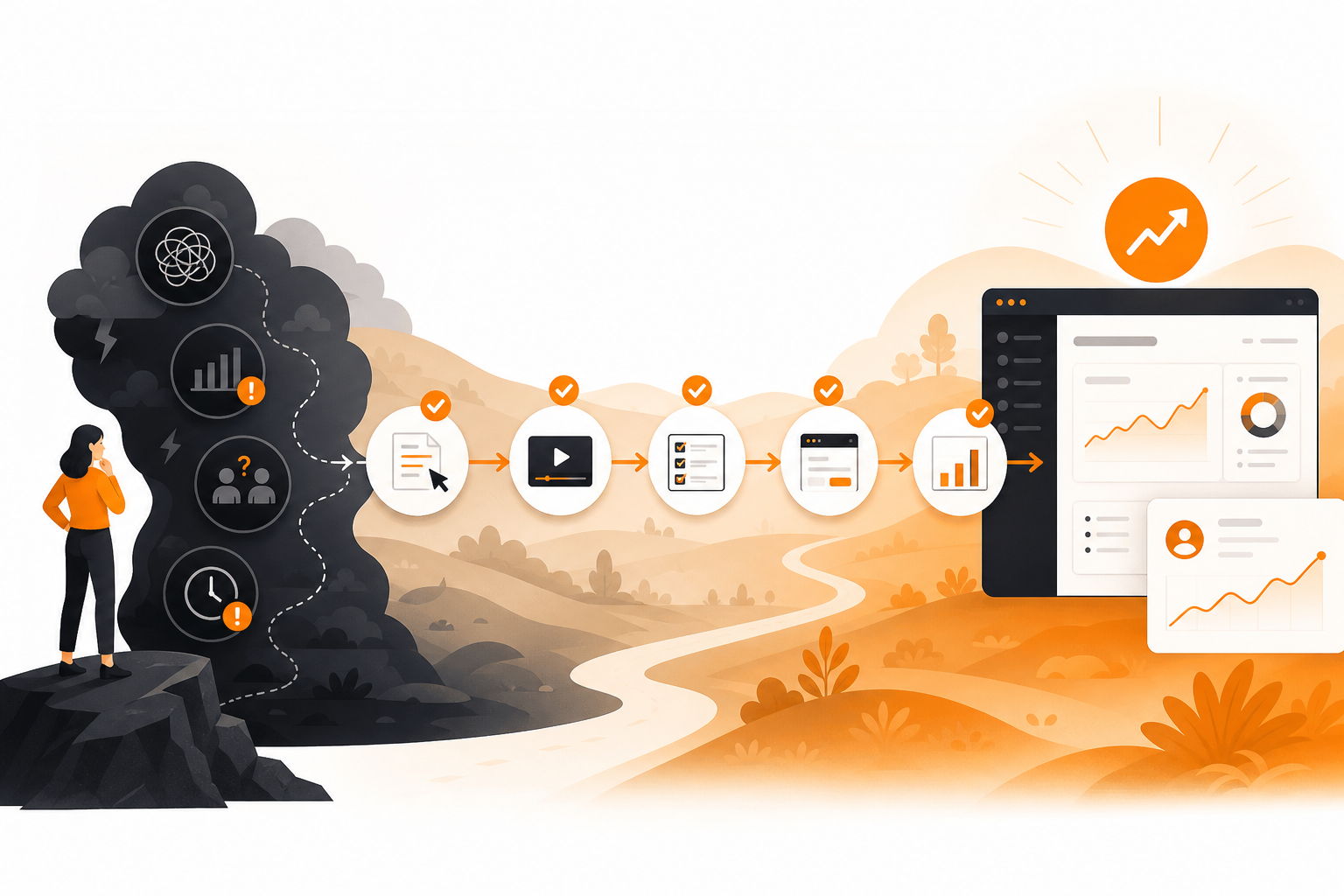
Core metrics
- Trial signups per asset (TSA)
- CTA click-through rate (CTR) to app
- Activation Step completion rate (ASCR)
- Content-sourced PQLs (csPQL)
- Day‑1 and Day‑7 return rate for content-sourced users
Benchmarks and checkpoints
- Leading indicator: rising ASCR within 7 days of publishing is a stronger signal than pageviews.
- Diagnostic: if CTR is high but ASCR is low, your in-app template or onboarding step likely introduces friction.
- Economic view: track cost per activated account by channel to inform partner swaps and selective paid boosts.
Instrumentation tips
- Fire a unique event for each asset’s CTA and template import.
- Pass source/asset ID to your product via query params to preserve attribution.
- Maintain a dashboard: asset → signups → activation → PQL → revenue attribution window.
For broader planning alignment, see our high-level 2026 Ai Marketing Roadmap.
Examples you can emulate (no hype, just patterns)
- Free grader → template import: HubSpot’s Website Grader popularized the “diagnose → improve with our tool” model. Repurpose this with a maturity scorecard that one-click loads into your product.
- Template ecosystems: Notion’s community templates show how user-generated assets compound distribution. Seed your own with creator partnerships.
- Referral mechanics: Dropbox’s classic referral loop demonstrates incentive-aligned growth. Adapt this by rewarding users for sharing templates or tools.
- Workflow teardowns: Rebuild Netflix-style content ops or Airbnb-style host onboarding inside your app as living demos. Offer “Copy this workspace.”
These are illustrative patterns—measure your own outcomes; don’t copy numbers from other products.
Evidence-led callout: what the trend data says
Evidence-led callout
>
- Trend signals: Multi-year YouTube interest from channels like Slidebean, Stanford Online, Journeys (Justin Wu), TK Kader, and Staage indicates sustained demand for growth guidance. Treat these as directional signals, not proof of specific tactics.
- Practical evidence: The strongest proof for your team will be asset-level activation metrics in your own product (Activation Step completion, csPQL, retention deltas). Instrument, test, and publish internal learnings.
Limitations and how to mitigate them
- Content ≠ onboarding: Don’t overload educational assets with every feature. Keep one Activation Step per asset.
- Overfitting to SEO: If a topic’s search intent doesn’t map to your Activation Step, publish it as thought leadership—not conversion content.
- Tool sprawl: Too many free tools fragment measurement. Start with one high-utility tool per persona.
- Community fatigue: Rotate value-first formats and avoid repetitive self-promotion; maintain a public changelog of improvements instead.
How Orange & Black helps SaaS teams ship this

Tooling to accelerate execution (optional but useful)
- Analytics: product analytics and event tracking in a single dashboard to see ASCR and csPQL.
- Planning and production: Topiclicks is an agentic AI platform for omnichannel content planning and execution, built for brands and product teams focused on generating revenue and conversions. Use it to align topics to Activation Steps, generate draft assets, and coordinate multi-channel distribution.
A simple weekly cadence

- Monday: Review last week’s activation metrics; choose one asset to iterate.
- Tuesday–Wednesday: Produce one product-integrated asset (script, build hooks, QA instrumentation).
- Thursday: Distribute in two communities and one partner channel; run a 20‑minute live demo.
- Friday: Analyze falloffs; log learnings; spec next week’s V2.
Conclusion: education that ends in action
Common questions
Frequently asked questions
What is the difference between content-led growth and product-led growth?
Product-led growth relies on product usage as the main acquisition vector. Content-led growth designs education that deliberately drives users into specific in-product actions. They’re complementary: content creates intent and context; the product fulfills it through an Activation Step.
How do I choose my first free tool to build?
Pick the most painful, frequent job for a core persona and create a tool that saves time immediately. Ensure it passes inputs to your app with a one-click CTA and instrument imports, activation completion, and day‑one return to verify value.
Which metrics prove my content is creating activation, not just traffic?
Prioritize Activation Step completion rate, content-sourced PQLs, and Day‑1/Day‑7 return for content-sourced users. Use CTA clicks and trial signups as leading indicators, but judge success on in-product behaviors tied to retention.
How can I distribute without spamming communities?
Lead with utility. Share a tool or teardown that solves a common pain, describe who it’s for, and invite feedback. Rotate formats, collaborate with respected members, and disclose your affiliation. Track source tags to learn which communities respond best.